How AdPromoVerse Works
Here's exactly what AdPromoVerse does once it's connected to your Google Ads and Meta Ads accounts — not a concept, a working operating loop your media buyer runs every day.
The Operating Loop
- 1
Understand — Reads your Brand Intelligence: products, margins, customer segments, seasonality, inventory, and past campaign history, so every decision is grounded in your business, not just platform metrics.
- 2
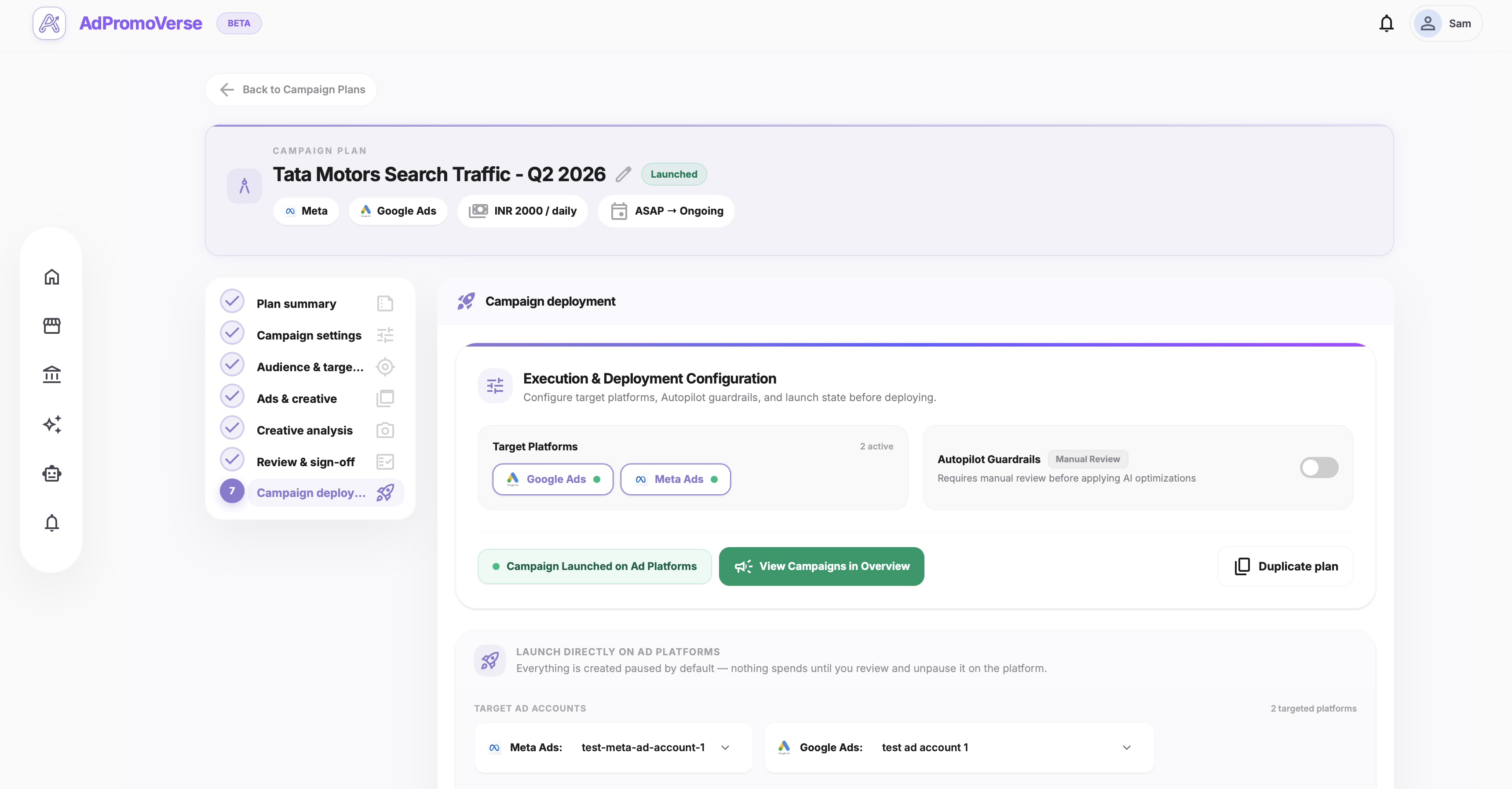
Plan — Generates campaign plans, budget recommendations, targeting angles, and launch checklists based on that business context.
- 3
Execute — Launches or updates campaigns across Google Ads and Meta Ads via their official APIs.
- 4
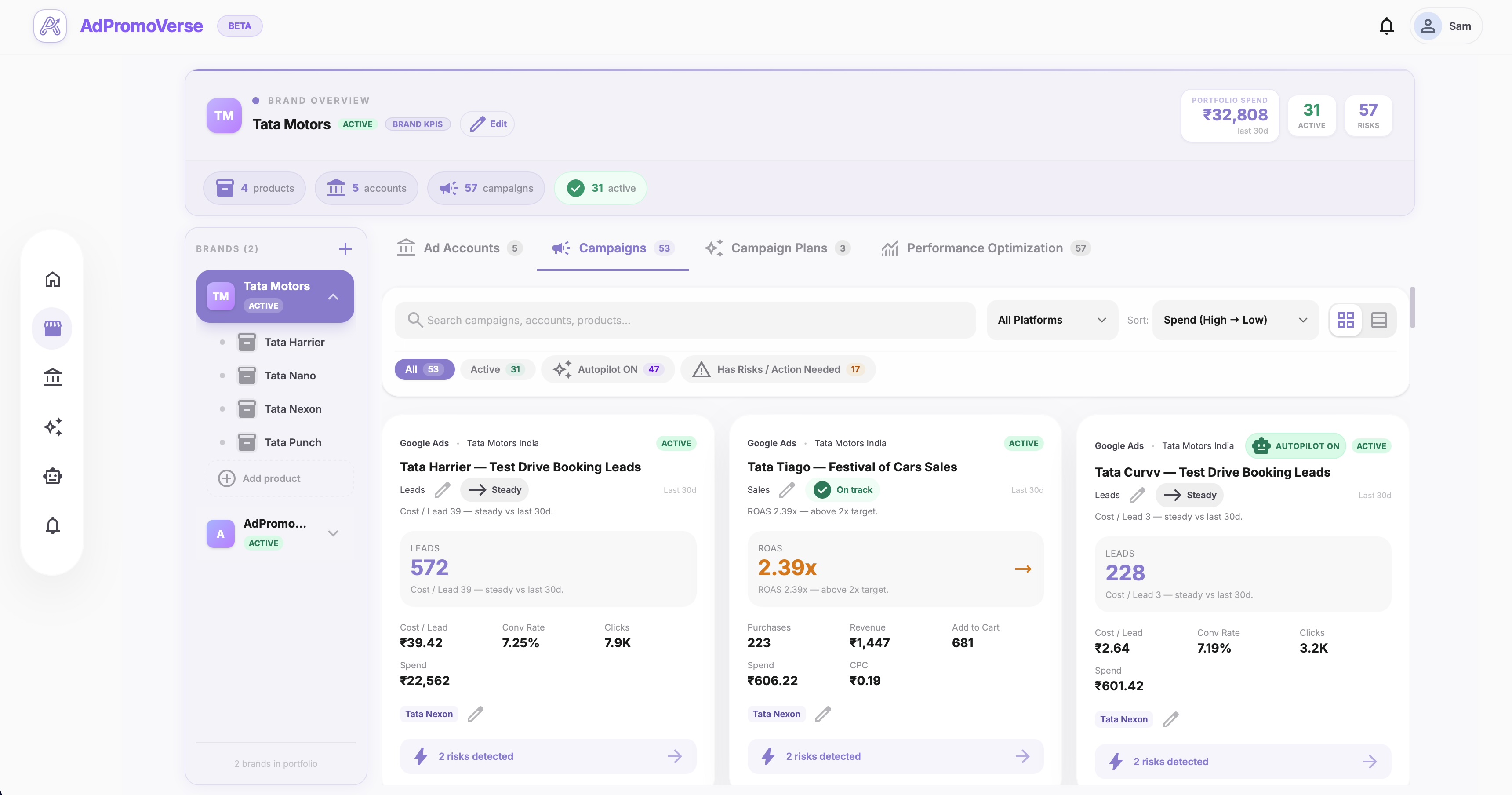
Monitor — Watches every active campaign 24/7 for wasted spend, ROAS drops, tracking issues, and budget imbalance.
- 5
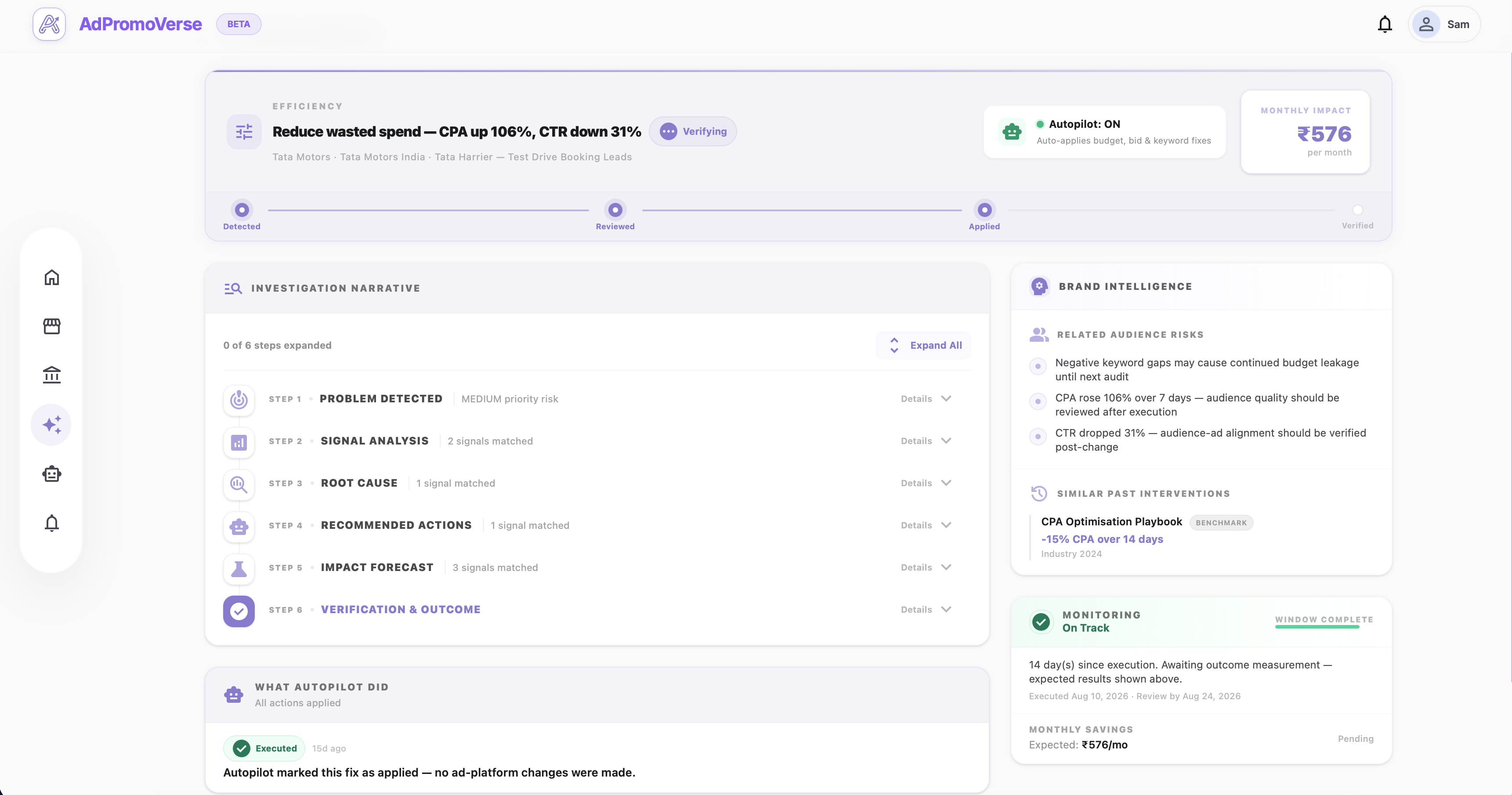
Optimize — Surfaces the highest-impact action for today — for example, moving budget into a high-ROAS product and reducing spend on underperforming ad sets — with the reasoning and evidence behind it.
- 6
Verify — Checks whether yesterday's fixes actually improved performance before recommending the next move.
- 7
Learn — Feeds verified outcomes back into Brand Intelligence, so the next recommendation is sharper than the last.
A Day With AdPromoVerse
Open AdPromoVerse. Your AI media buyer has already:
- Reviewed every active campaign across platforms.
- Found wasted spend and ROAS drops that need action.
- Prepared the next campaign plan based on business context.
- Suggested budget moves, pacing changes, and platform mix.
- Checked tracking, learning phase, and conversion health.
- Queued recommendations for your approval — or executed them if autopilot is enabled.
- Checked whether yesterday's fixes improved performance.
What It Connects To
AdPromoVerse connects directly to the Google Ads API and Meta Marketing API. It reads campaign structure, spend, and conversion data, and — with your permission — writes budget changes, bid adjustments, and campaign launches back to your accounts.
You Stay in Control
Every recommendation can be reviewed manually before it goes live, or approved once and left on autopilot for the workflows you trust. Nothing executes without the permission level you set.
See It In Action